When and where,
on every photo.

Photo TimeStamp Camera adds the date, time and place to your photos on iPhone and iPad: one shot from the camera, or a whole trip or job from your library.

Every holiday and family photo with the date, time and place it was taken. Stamp a whole trip from your library in one go.

Proof photos for site visits, repairs, deliveries and claims, with the date, time and GPS location stamped on the spot.

What do you take photos for?

The app is free, with no account. The online editor is free, with nothing to install.

The Eiffel Tower at dusk, stamped “Sep 12, 2026 · 7:58 PM, Paris, France” in white on a coral box
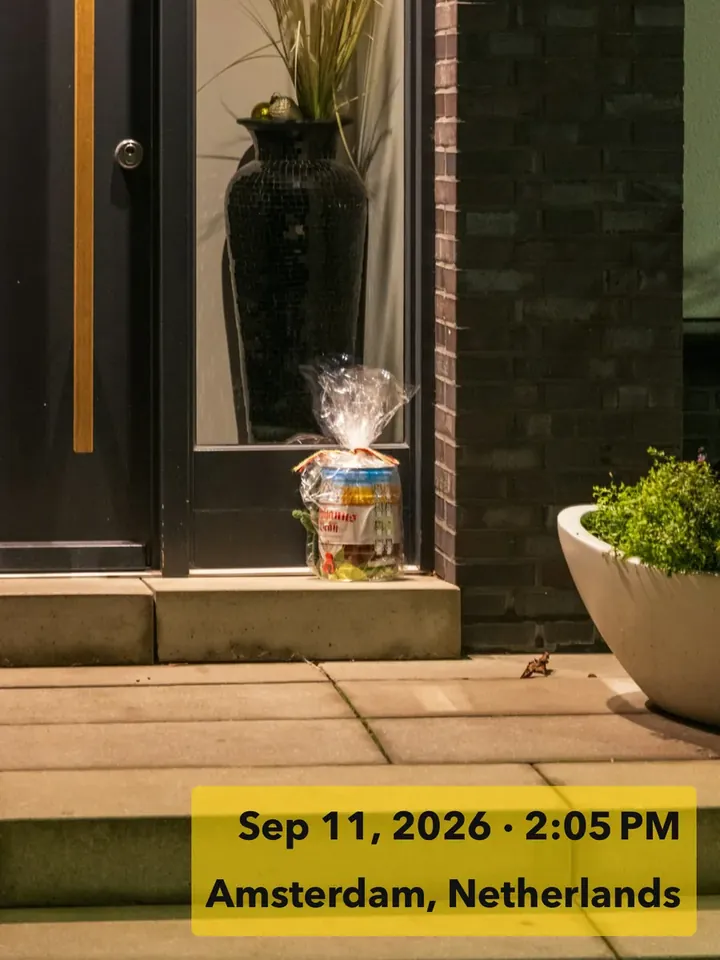
A parcel at a front door, stamped “Sep 11, 2026 · 2:05 PM, Amsterdam, Netherlands” in black on a hi-vis yellow box
Blue domes in Oia over the sea, stamped “Jun 15, 2026 · 10:26 AM, Oia, Greece” in the Electric style
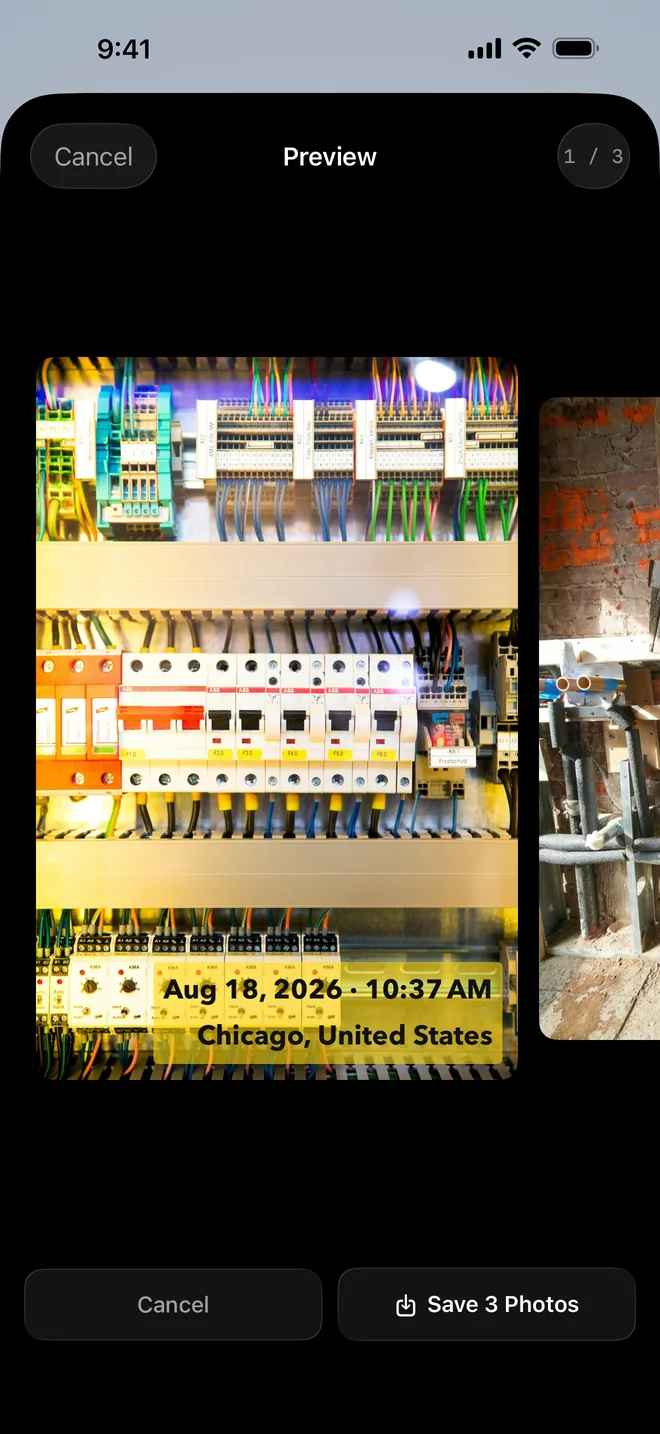
An open electrical panel, stamped “Aug 18, 2026 · 10:37 AM, Chicago, United States” in white on a blue box
A mother lifting her daughter in a golden field, stamped “May 24, 2026 · 7:10 PM, Manosque, France” in handwriting on an instant-photo strip
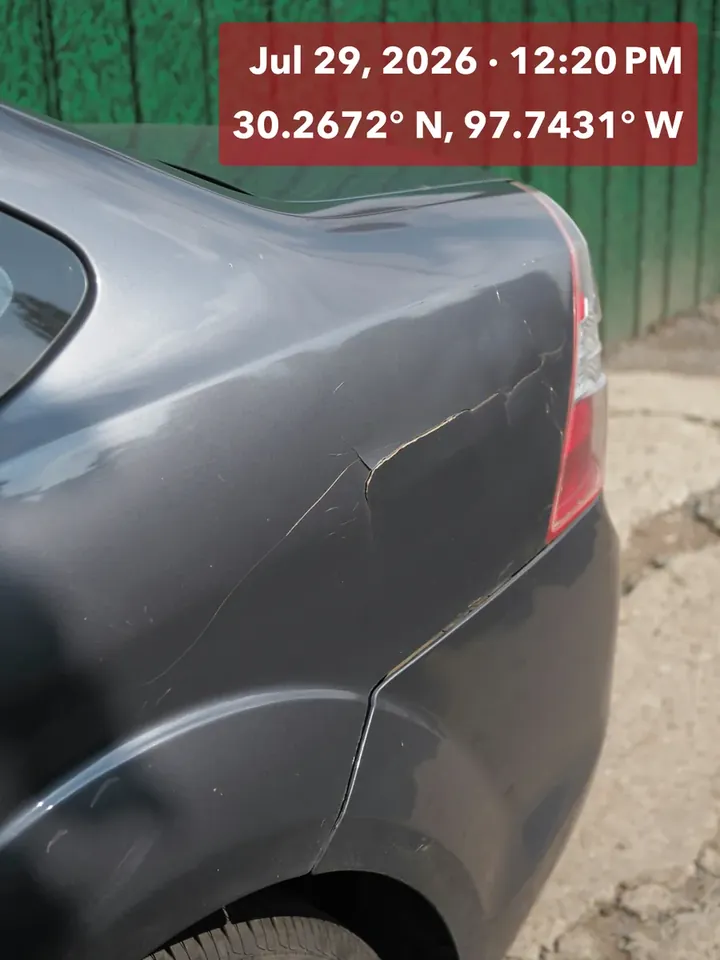
A scratched car door, stamped “Jul 29, 2026 · 12:20 PM, 30.2672° N, 97.7431° W” in white on a red box
A Kyoto street at sunset, stamped “Apr 6, 2026 · 6:14 PM, Kyoto, Japan” in the Vaporwave style
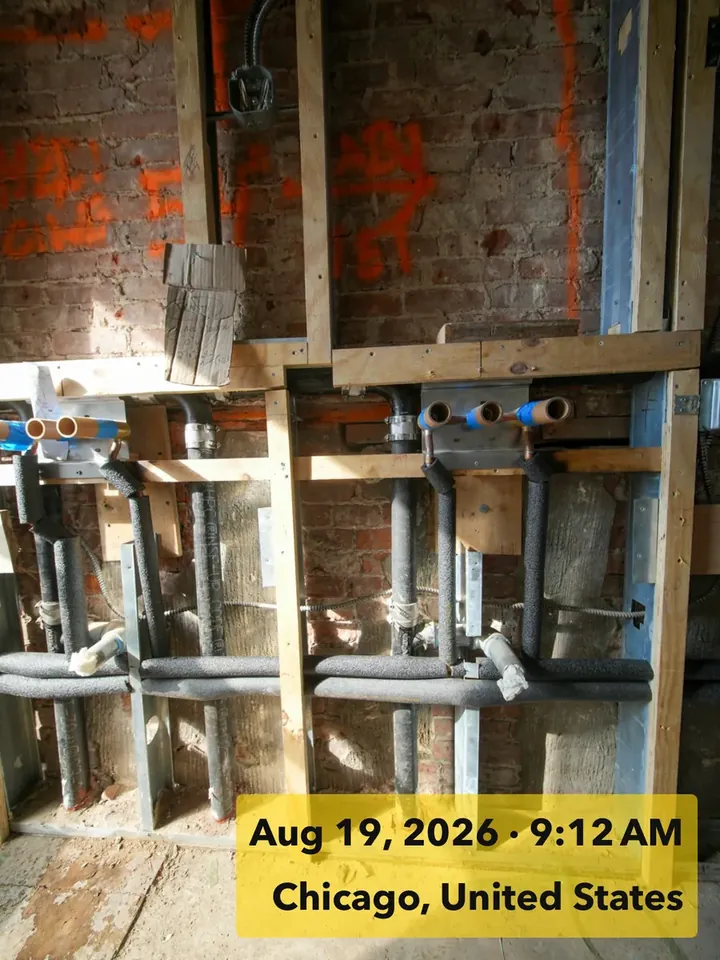
Plumbing rough-in on a building site, stamped “Aug 19, 2026 · 9:12 AM, Chicago, United States” on a hi-vis yellow box

Trip to Paris, white on a coral box

Stamp a photo free, right here

The free online editor runs in your browser, no app needed. Drop a photo and the date it was taken goes on it, in the same stamp as the app. Pick a style and a corner, then save it in full resolution.

  • Free. No watermark, no limit.
  • No account. Nothing to install.
  • Private. Your photo never leaves this browser.
  • The right date. Read from the photo itself.
Open the free editor

Made for two kinds of photos

Some photos are for remembering a moment, others are for proving one. The app asks which you need and sets itself up for it, down to its home screen.

Oia, Greece, stamped with the date, time and place

Trips & family: remember when, and where

  • Travel & events. Holidays, weekend trips, weddings and concerts. Stamp the whole trip at once, every photo with its own place.
  • Memories & family. First steps, birthdays, the first day of school, dated for good, even after the photo is printed.
  • Personal records. A home inventory, a garden through the seasons, a fitness journey, each photo with its date.
A building site stamped with the date, time and place on a hi-vis box

Work: show when and where it was done

  • Construction & property. Architects, builders and renovators: site progress by date, time and address.
  • Repairs & field service. Electricians, plumbers and technicians: before-and-after photos with the time on them.
  • Delivery. The parcel, the door, the time and the address, in one photo.
  • Insurance & inspection. Car damage, rental check-ins and property inspections, with GPS coordinates.
Get the app for work

Date, time and place, your way Every trip, dated and placed Proof of when and where
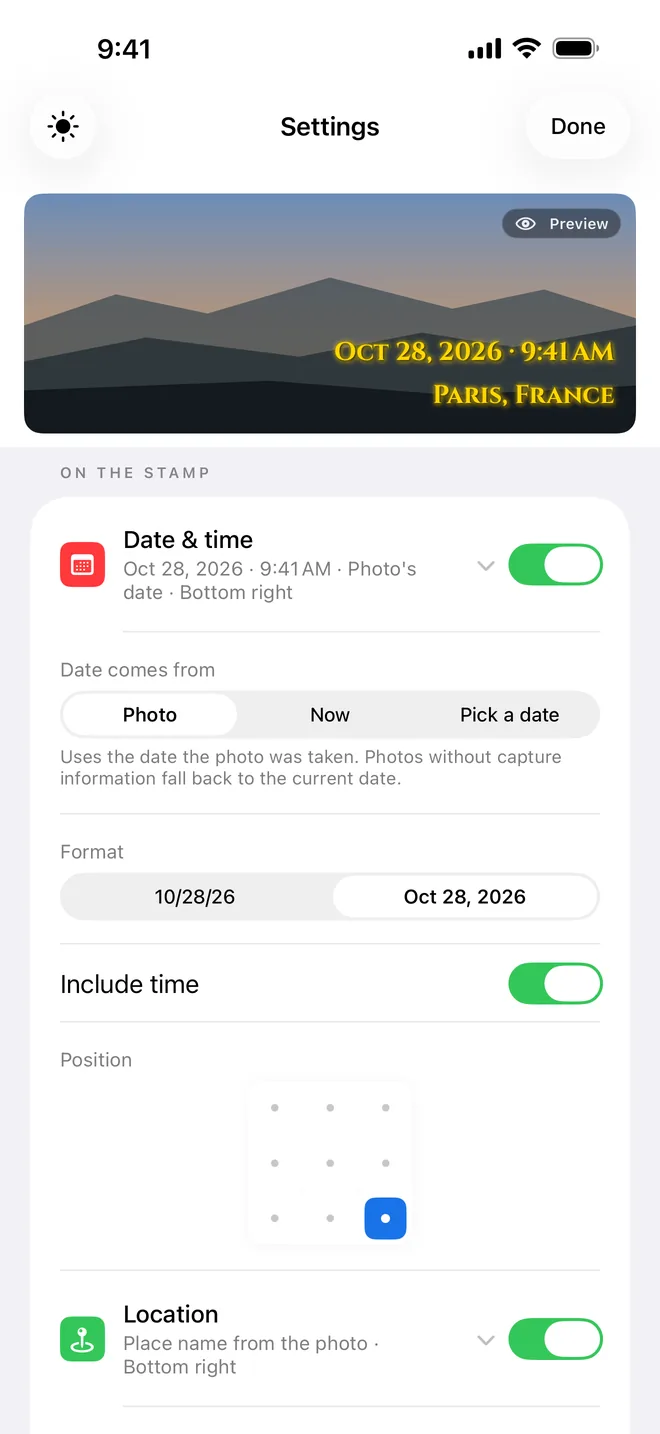
Settings: the date comes from the photo, with the format, the time and a position grid

The date it was taken

The app reads when each photo was taken, so it shows when it happened, not when you stamped it. Add the time too, in your phone’s own date format.
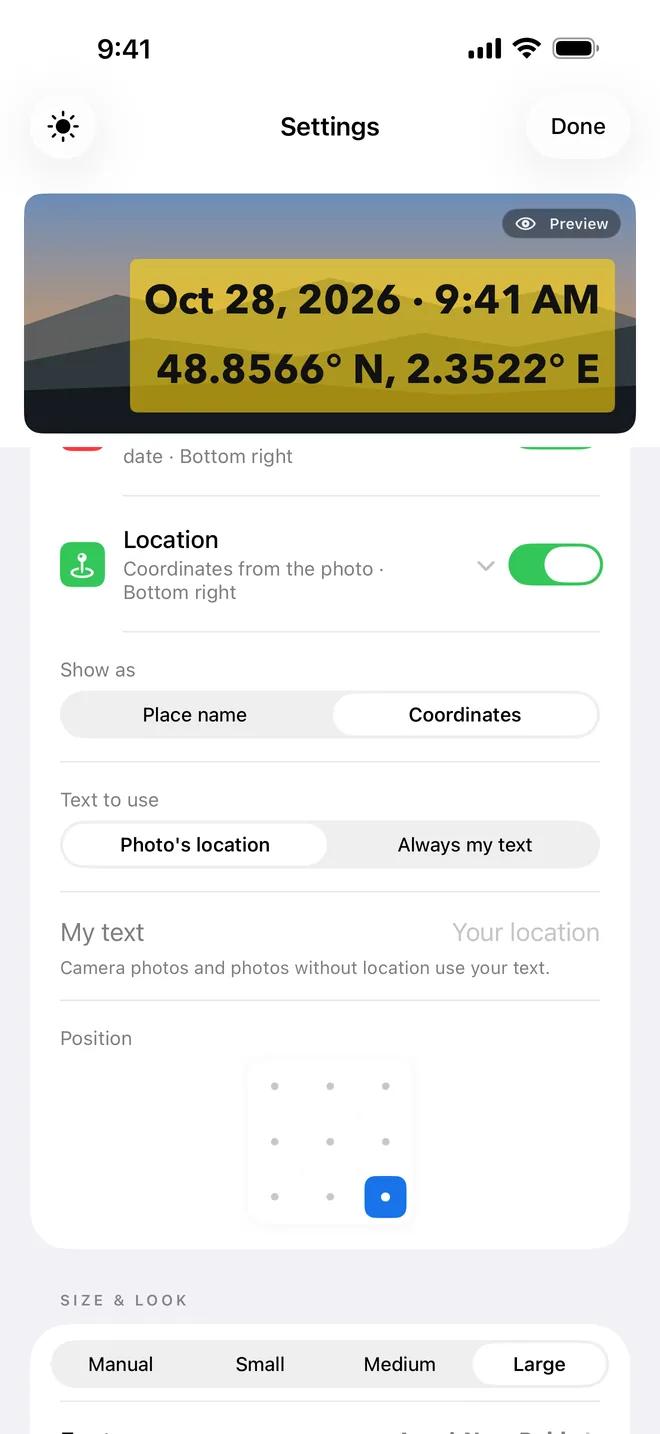
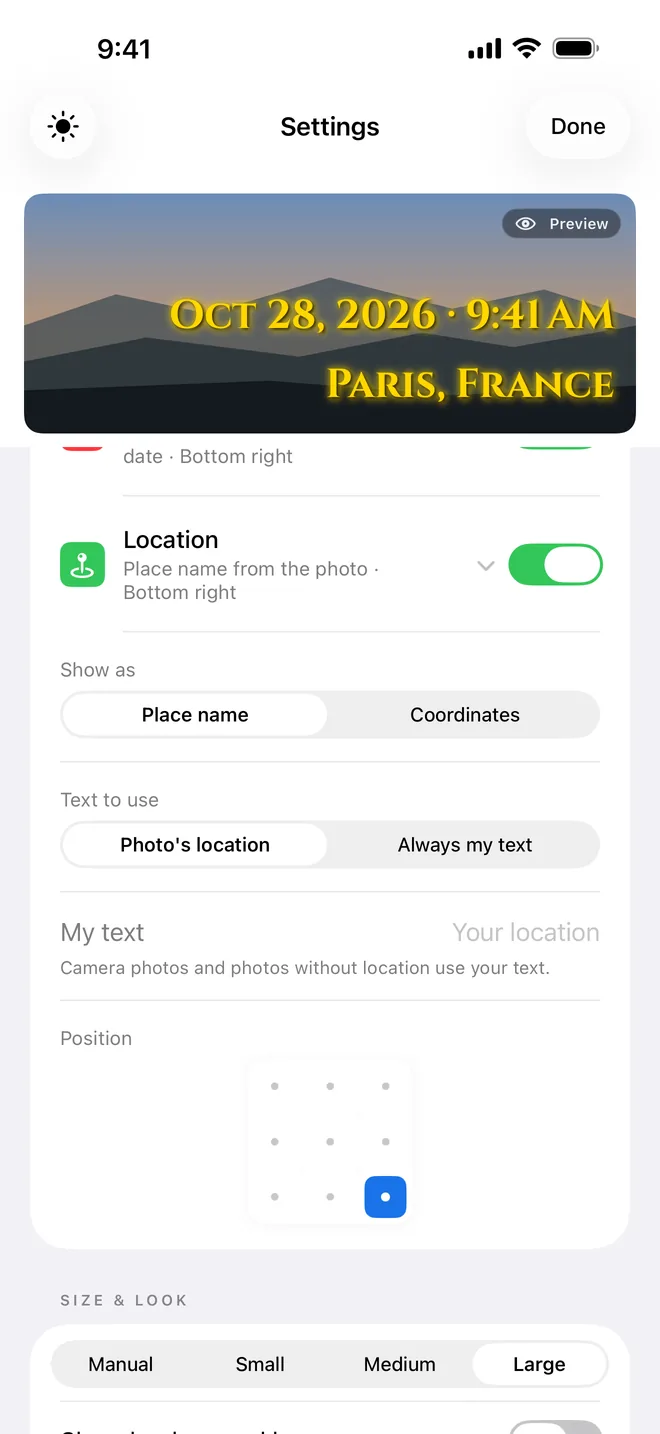
Settings: the location shown as GPS coordinates in a hi-vis box Settings: the location shown as a place name, taken from the photo

A place name or GPS coordinates The place, by name GPS coordinates or the address

“Paris, France” or “48.8566° N, 2.3522° E”, read from each photo’s own location. Old photos show where they were taken; new camera shots use where you are.

“Oia, Greece” on every holiday photo, read from the photo’s own location, so pictures from years ago still show where they were taken.

“41.9214° N, 87.6513° W” or “Chicago, United States”, read from each photo’s location. New camera shots use where you’re standing.

Part of Premium
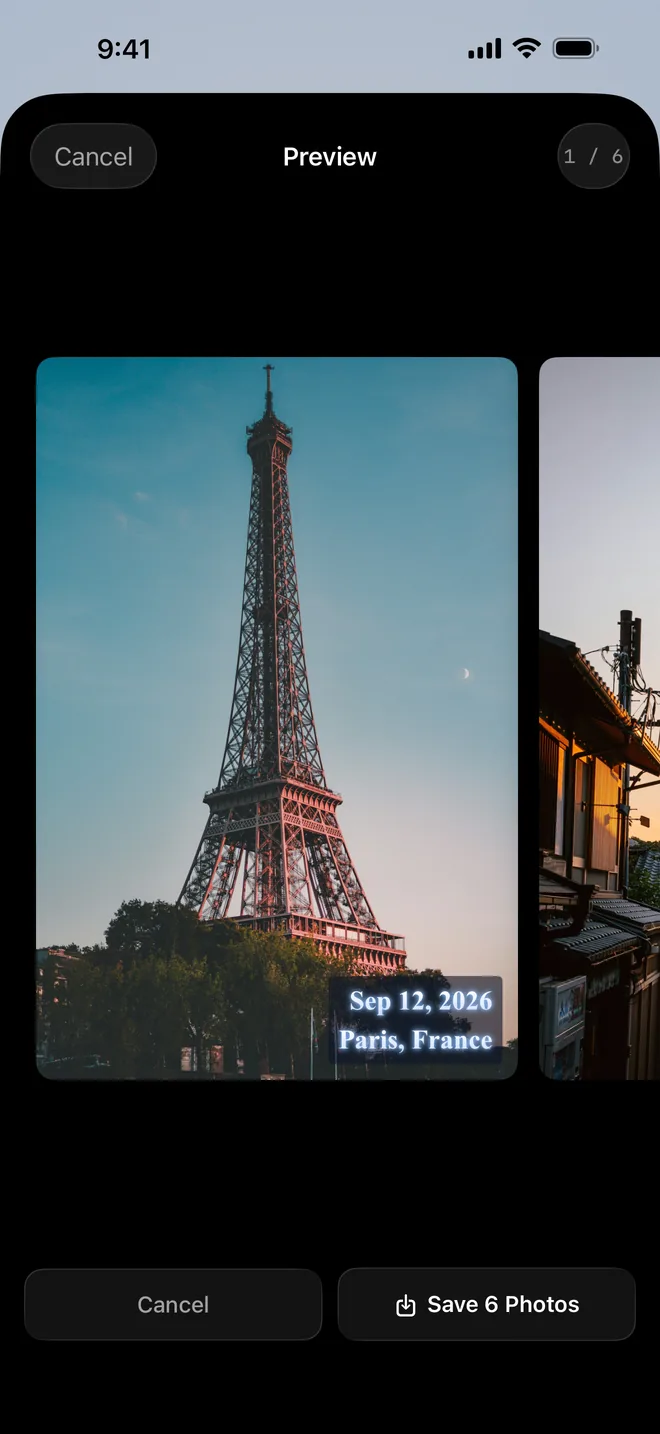
Preview of a batch of six photos from one trip, each with its own date and place, with a Save 6 Photos button Preview of a batch of three photos from one job, each stamped on a hi-vis box, with a Save 3 Photos button

A whole trip, or a whole job A whole trip at once A whole job at once

Select dozens of photos and stamp them all at once. Each one gets its own date and place.

Select the photos from a site visit and stamp them together. Each one keeps its own date, time and place.
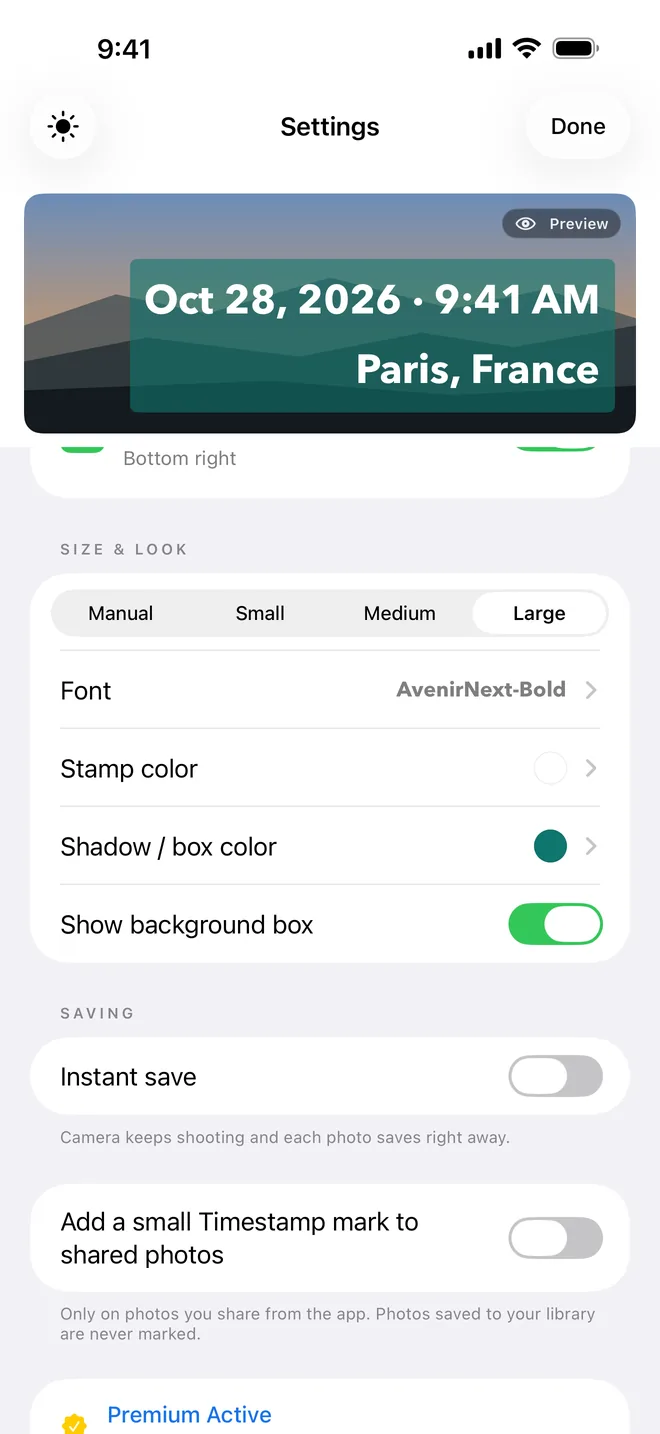
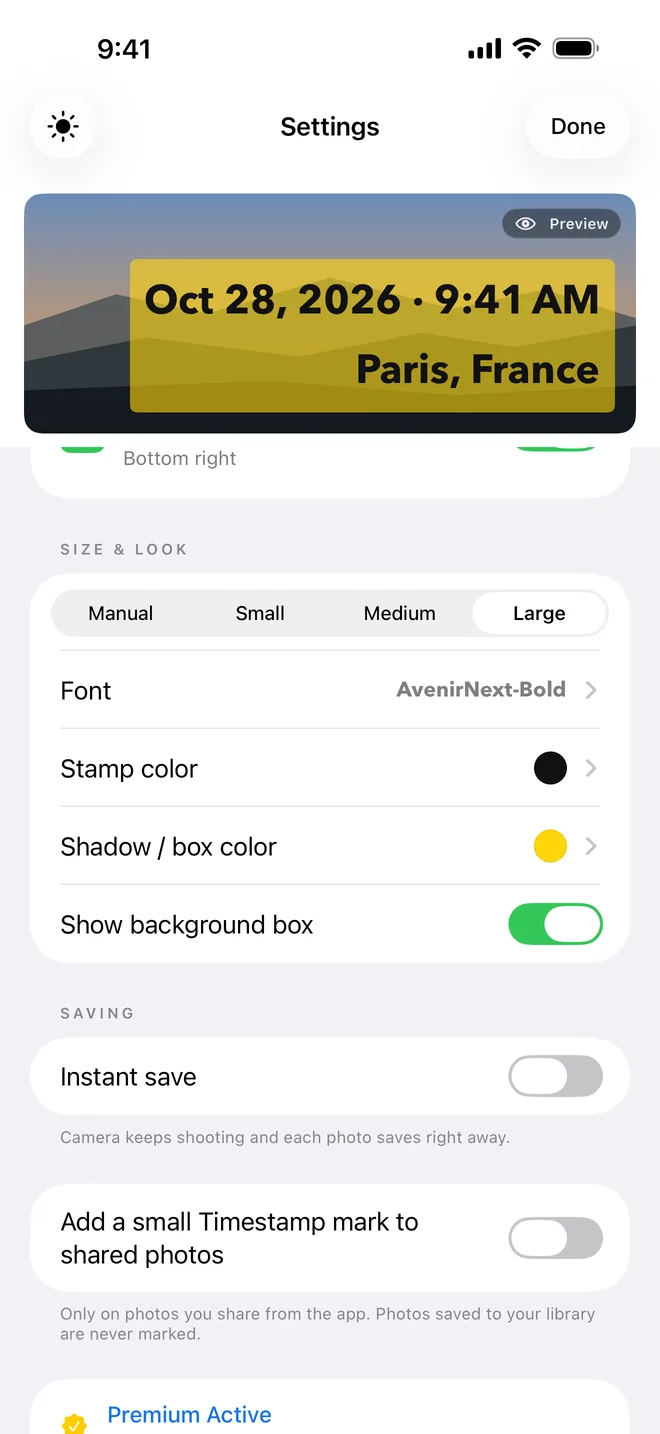
Settings: size, font, stamp colour and a teal background box Settings: black text on a hi-vis yellow background box

Your colours, any corner Readable on any site photo

19 themes, 9 positions and three automatic sizes. Or pick the font, the colour and a background box that stands out on any photo.

Black on a hi-vis box reads on concrete, wiring or a dark doorway. Put it in any of 9 positions, sized so it never hides the job.
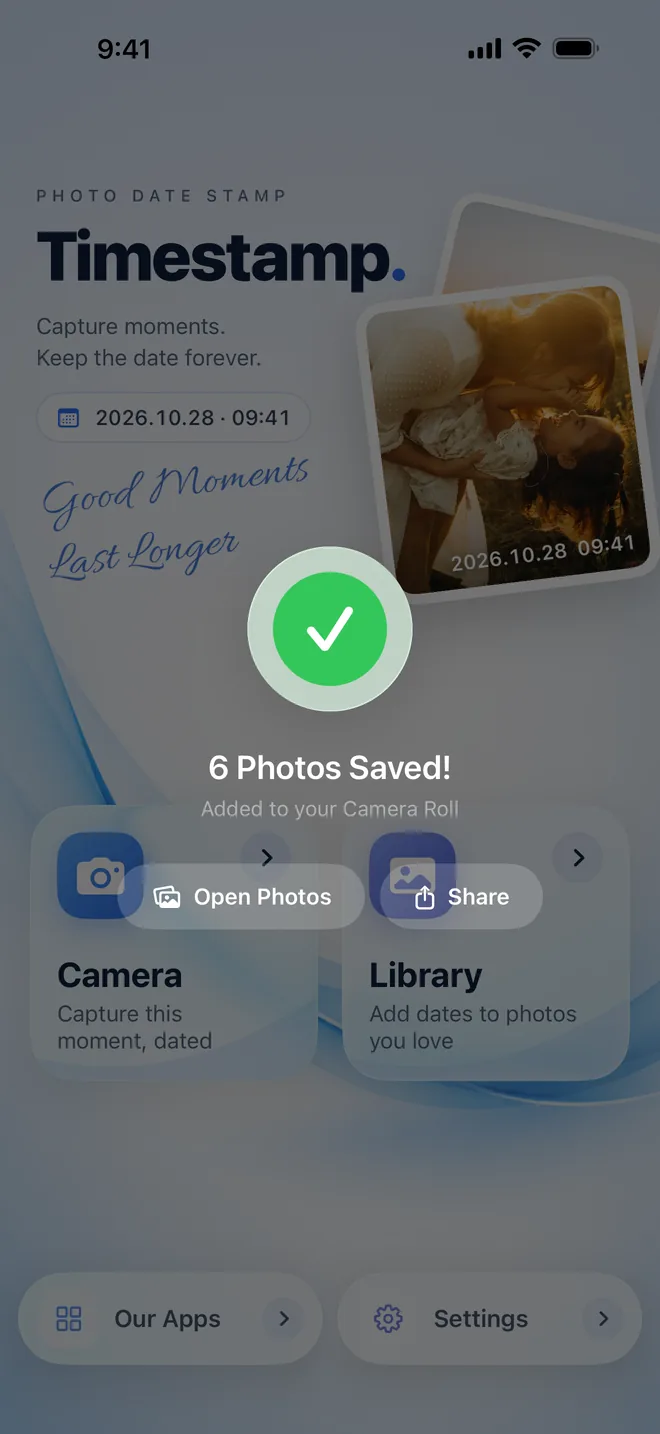
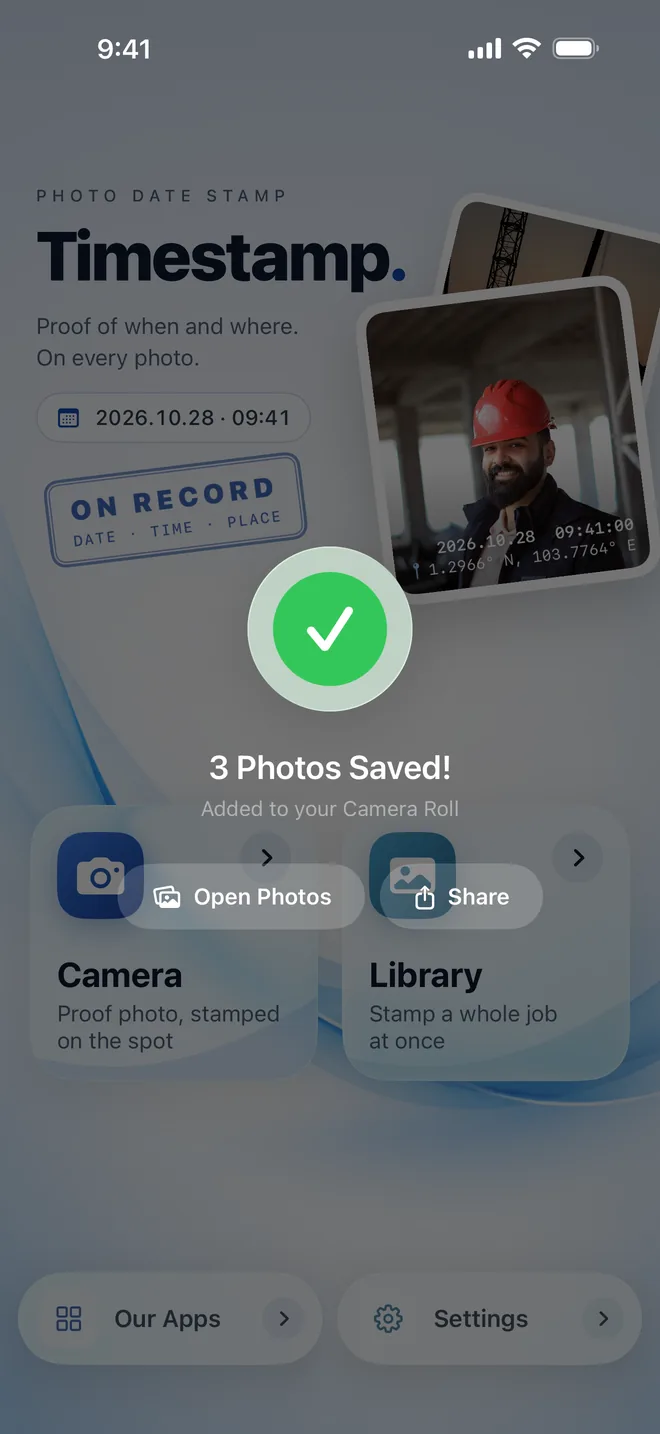
Confirmation: 6 Photos Saved, added to your Camera Roll Confirmation: 3 Photos Saved, added to your Camera Roll

Originals stay as they were

Every stamp is saved as a new copy in your camera roll. Photos are stamped on your phone and never uploaded.

The original stays untouched as your record; every stamp is a new copy. Photos are stamped on your phone and never uploaded.

Also: camera or library, live preview, works offline, iPhone and iPad, light and dark mode.

19 stamp themes. Here are six.

Each has its own type, colour and finish. These are real exports from the app, with the date and the place.

Minimal theme: the date and “Dolomites, Italy” on a sunset mountain photo
Minimal Free
Noir theme: the date and “New York, USA” on a city photo at night
Noir Free
Cinematic theme: the date and “Wadi Rum, Jordan” on a desert photo at dusk
Cinematic Free
Luxe Gold theme: the date and “Swiss Alps” on a starry mountain photo
Luxe Gold Premium
Neon Tokyo theme: the date and “Shibuya, Tokyo” on a neon street photo
Neon Tokyo Premium
Retro Digital theme: the date and “Banff, Canada” on a mountain photo at night
Retro Digital Premium

And 13 more in the app: Retro Analog, Neon Tube, Vaporwave, Midas, Chrome, Ocean, Sakura, Rose Gold…

How to timestamp a photo on iPhone

  1. One tap

    Pick a photo

    First, take a new shot with the camera, or select one or many photos from your library.

  2. A few seconds

    Style it

    Then choose a theme, a position and a size, and add the place if you like. The preview updates as you go.

  3. Instant

    Save the copy

    Last, a stamped copy goes to your camera roll. The original stays exactly as it was.

The Photo TimeStamp home screen set up for work: “Proof of when and where. On every photo.”, a stamped job-site photo, and Camera and Library buttons

Your photos stay on your phone

Read the privacy policy
  • Stamped on the device. Photos are never uploaded, not to us and not to anyone.
  • Originals untouched. Every stamp is saved as a new copy.
  • Location only when you ask. To name a place, only its coordinates go to Apple’s map service. Coordinates mode works fully offline.

Free to start, simple to upgrade

Try Premium free for 3 days on the weekly plan, or save 85% with yearly.

Free

$0

No account needed

  • 10 stamped photos per hour
  • 10 more per rewarded ad
  • Minimal, Noir and Cinematic themes
  • Camera and batch stamping

Weekly

$4.99 a week

3-day free trial, then $4.99 a week

  • Unlimited stamped photos
  • GPS location stamp
  • All 19 themes
  • No ads

Yearly, save 85%

$39.99 a year

$3.33 a month, billed yearly

  • Unlimited stamped photos
  • GPS location stamp
  • All 19 themes
  • No ads
Get Photo TimeStamp

Prices in USD; they may vary by region. Subscriptions renew automatically unless canceled at least 24 hours before the end of the period. Manage or cancel anytime in your Apple ID settings. See the Terms of Use.

Questions

Something else? Write to support@elmadigital.net and you’ll hear back from the people who make the app.

How do I add the date and time to a photo on iPhone?

Open Photo TimeStamp Camera, take a photo or pick one or more from your library, choose a theme and position, and save. The app reads the date and time the photo was taken and saves a new stamped copy to your photo library.

Can I use Photo TimeStamp for work?

Yes. Builders, architects, electricians, plumbers, delivery drivers and inspectors use it to show when and where a photo was taken. Show GPS coordinates or the address, stamp a whole site visit at once, and use a high-visibility box that reads on any photo. The original photo is always kept. See it for work on the App Store.

Can I add the GPS location to old photos?

Yes. Most iPhone photos carry their own GPS location, and Photo TimeStamp reads it from each photo, so a whole trip from last summer can show its places. Photos without a location can show text you type instead. The location stamp is part of Premium.

Does Photo TimeStamp edit my original photos?

No. It always saves a new, stamped copy to your photo library. The original is never modified or deleted.

Does it work without an internet connection?

Yes. Photos are stamped on your device. An internet connection is only used to look up place names, for optional ads, and for purchases. GPS coordinates work offline.

Does it share my location?

No. The location is read from your photo on your device. Only the coordinates are sent to Apple’s map service to look up a place name; choose GPS coordinates instead and nothing leaves your device. The camera asks for your location only while it’s open.

What do I get with the free version?

10 stamped photos per hour, 10 more after a short rewarded ad, and 3 themes: Minimal, Noir and Cinematic. The GPS location stamp and the other 16 themes come with Premium.

Does Photo TimeStamp work on iPad?

Yes. It has a dedicated iPad layout alongside full iPhone support.

How do I cancel my subscription?

Subscriptions are managed through your Apple ID. Open Settings, tap your name, then Subscriptions, on your iPhone or iPad.

Stamp your next photo

Free on the App Store for iPhone and iPad. On a computer? Use the free online editor.